What You Need to Stream Your Cozy Gaming Sessions

Building up a gaming streaming setup doesn’t have to be overwhelming, even if you’re starting from scratch! Knowing which exact tools you should have will make things easier and help your content shine at the same time. Let’s break down the essentials for creating a relaxed and engaging streaming environment that you and your viewers will enjoy!
Need a name for your game?
Use our free game name generator to create names for games, worlds, farms, and characters!

Why Stream Your Cozy Games?
Here are some reasons why streaming your cozy games might be ideal:
- You can build a comforting community and form connections with viewers who enjoy the same games as you.
- Streaming lets you share more than just your gameplay, as you can also use it to express your unique personality and style.
- Streaming is a great way to build confidence and pick up new skills. You’ll get familiar with tech tools like streaming software and gear, as well as become more comfortable communicating to audiences in front of a camera.
- As you grow your channel, you may even get the opportunity to monetize your passion project through subscriptions, donations, sponsorships, or affiliate links.
Your Gaming Streaming Setup Essentials
Here’s a beginner-friendly guide to help you build your gaming streaming setup easily:
Gaming PC or Gaming Console
Depending on your gaming preference and budget, you may need to choose between a gaming PC and a console for streaming.
💬 Love cozy games?
Join the The Cozy Gaming Nook Forums to share what you’re playing, swap tips, and connect with others!
A gaming PC offers more flexibility and tons of games, but consoles are also good, especially if you already own one and want to keep things simple.
You might need to use a capture card if you’re streaming from your favorite gaming console, especially if you’re using older models. This allows you to transfer both video and audio from your device to a PC in real time.
Powerful Processor
Having a powerful processor is key to ensuring that everything goes smoothly, allowing you to play your game while live streaming and interacting with your audience. Lower-end CPUs might lag or crash, which can disrupt the session.
Consider upgrading to a powerful CPU to maintain high-quality visuals without interruptions and prevent your device from overheating or freezing due to excessive use.
Streaming Software
OBS Studio and Streamlabs are beginner-friendly software programs you’ll want to look into to connect with your chosen streaming platform.
These programs allow you to tailor your streaming experience to suit your personal style. You can add text, alerts, and overlays that display information, making your streaming look more polished and professional.
In one interface, you can link your webcam, mic, and gameplay sources without much hassle.
Microphone

Streaming involves talking to your audience, so investing in a high-quality microphone is essential. It makes your voice sound crisp and clear, which is vital in retaining your audience’s interest and attention.
For beginners, plug-and-play USB options like the Blue Yeti are a good choice, as they already deliver excellent audio quality. However, if you’re after more professional-sounding audio, you may want to go for an XLR mic that’s paired with an audio interface and/or audio mixer.
This setup provides you with more control over sound balance and volume, enabling you to further customize and refine your streaming experience.
Headphones
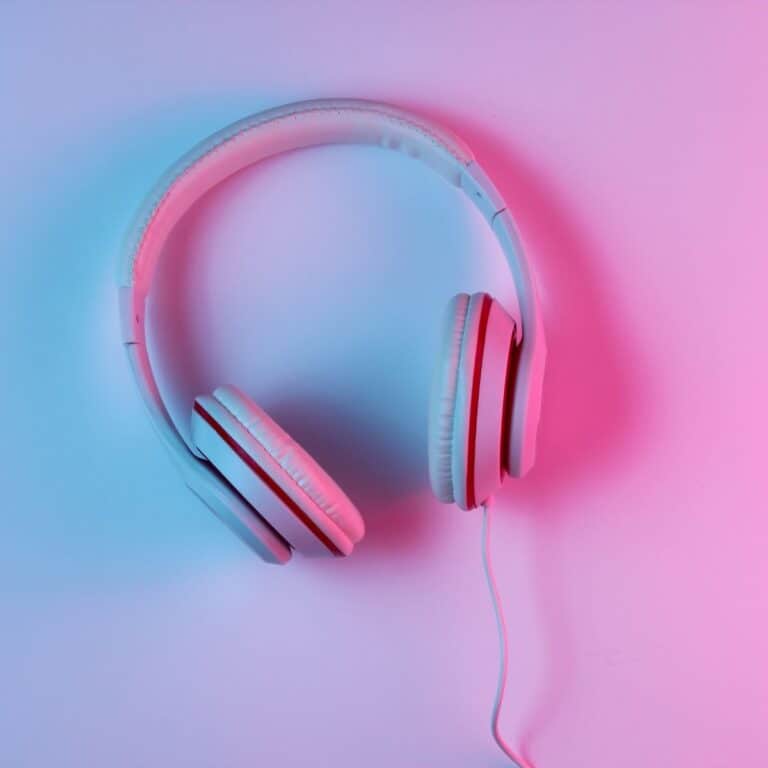
Consider using closed-back headphones while streaming your cozy games. Not only will this gear prevent sound from feeding back to your mic (producing a high-pitched, screeching sound), but it will also help you hear any alerts, chat messages, and game sounds better.
Many streamers also prefer using wired headphones, especially during extended streaming sessions. This allows them to play and stream without worrying about low batteries or charging their headphones.
Webcam
A webcam is a crucial part of a gaming streaming setup, as it allows your viewers to see your face and reactions while you play your favorite game.
A simple USB camera can get you started. Choose a 1080p one with a 30fps (or higher) frame rate so your image appears clean and professional-looking.
When setting up, you’ll want to mount your camera at eye level. This allows you to look directly into the camera and maintain eye contact with your audience, helping create a more engaging interaction.
Good Lighting
Proper lighting is crucial in creating a streaming session that feels inviting and cozy, yet clean and professional. To achieve this, you may need to use ring lights or softboxes to highlight your face and eliminate any harsh shadows.
Good lighting can also influence or reflect the mood of your streaming session, especially if you’re aiming for a relaxed, cozy feel. Using warmer tones is suitable for this purpose, though you can also use cool tones if you’re going for a more modern look.
Stable Internet Connection
A reliable internet connection with an upload speed of at least 6 Mbps is essential for consistent live streaming. Opt to use an Ethernet connection instead of Wi-Fi as it’s more consistent, reliable, and less prone to interference and latency.
You may also want to check your internet speed using online tools like Speedtest before going live. Using a slow and unstable internet connection while streaming can result in pixelation, buffering, and interruptions, all of which can deter viewers.
Streaming Platform

Determine your goals and target audience before selecting an appropriate streaming platform for your content.
YouTube is great for evergreen content and discoverability, and you can archive your streams to become video-on-demand (VODs) that viewers can watch anytime. It also has a wider user base, allowing you to connect with more people.
Twitch is well-suited for building gaming communities, features interactive chat, and offers opportunities for monetizing content.
Whichever platform you choose, just be sure you understand their rules, monetization tools, and recommended specs. Failing to do so might lead to your content being removed and the suspension of your account.
Game Streaming Do’s and Don’ts
Here are some more helpful tips for creating a better streaming and viewing experience for you and your audience:
Do’s
- Test your accessories (microphone, webcam, streaming software, etc.) to see if they’re all working.
- Interact with your viewers. A simple “Hi!” when someone joins, or a “Thank you!” when they show appreciation, can make people stick around longer.
- Establish a consistent streaming schedule and adhere to it. This helps build trust with your community and makes you grow as a content creator.
- Maintain a calm tone and a welcoming background. Use soft lighting, calming background music, and a friendly, approachable demeanor to create a relaxing atmosphere.
- Take a break when you need to, but let your viewers know when you need to step away for a moment.
Don’ts
- Don’t ignore chat messages. Acknowledge them and your viewers whenever possible.
- Overloading your screen with overlays is a big no-no, as having too many alerts, pop-ups, and cluttered graphics might overwhelm your viewers. Keep things clean and cozy as much as possible.
- Viewers will leave a stream with poor sound, crackling audio, or pixelated and distorted camera feeds and image quality. Invest in a good camera, a solid microphone, and a stable internet connection to avoid these from happening.
- Don’t panic if glitches occur! Troubleshoot when needed, but always communicate with your audience if you’re dealing with technical problems.
- Don’t get easily discouraged. All streamers have to start somewhere! While you’re growing your audience, focus on your gaming streaming setup, learn your tools, and enjoy the game streaming process. Who knows, your big break might be around the corner!
Recommended Reading:
12 Cozy Games That Make Waiting for the Weekend Worth It